

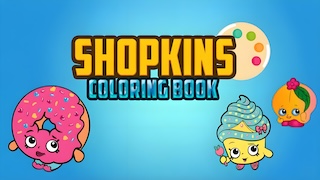
About Shopkins Coloring Book
Shopkins Coloring Book is a digital coloring game featuring Shopkins cartoon characters. Players can choose from various Shopkins character line art and color them using a wide range of vibrant colors. The game allows saving and sharing creations, with a simple interface and no time limits, making it ideal for developing children's creativity and color recognition skills.
Publisher
Zorqia
Released
Mar 27, 2026
Platforms
Web browser (Desktop, Mobile, Tablet)
Last updated
Mar 27, 2026
Controls
Click with the mouse to select a drawing page
Choose colors from the palette
Hold and drag the mouse or finger to paint
Use the eraser tool to remove colors
Press the save button to store your artwork
How to play Shopkins Coloring Book
The gameplay is as follows:
1. Choose a Character – First, select a Shopkins image from one of several available categories.
2. Coloring – Choose from over 80 colors to start coloring the image. Adjustable brush sizes allow large strokes for filling big areas and smaller strokes for fine details like eyes and labels.
3. Tools – An eraser tool helps correct mistakes and restore clean areas of the picture.
4. Save and Share – Completed artworks can be saved to the device or shared with friends via social platforms.The game has no time limits or scoring mechanics. It is completely free and supports offline use, making it ideal for developing children's creativity and color recognition skills.
Tips and Tricks
Start coloring large areas first for easier control.
Using similar shades creates smoother artwork.
Zoom in to avoid painting outside the lines.
Bright colors make characters look more lively.
Check for uncolored spots before saving your art.
FAQ
Can I save my artwork in Shopkins Coloring Book?
Yes, the game allows players to save finished coloring pages.
Is the game suitable for kids?
Yes, the simple controls and relaxing gameplay are ideal for children.
How do I change colors?
Simply click or tap a color from the palette to switch paint colors.